Your work.
Gone before they notice.
A Windows utility that removes selected app windows from your taskbar and Alt+Tab with a natural mouse movement to the screen edge — and restores them to exact position on demand.
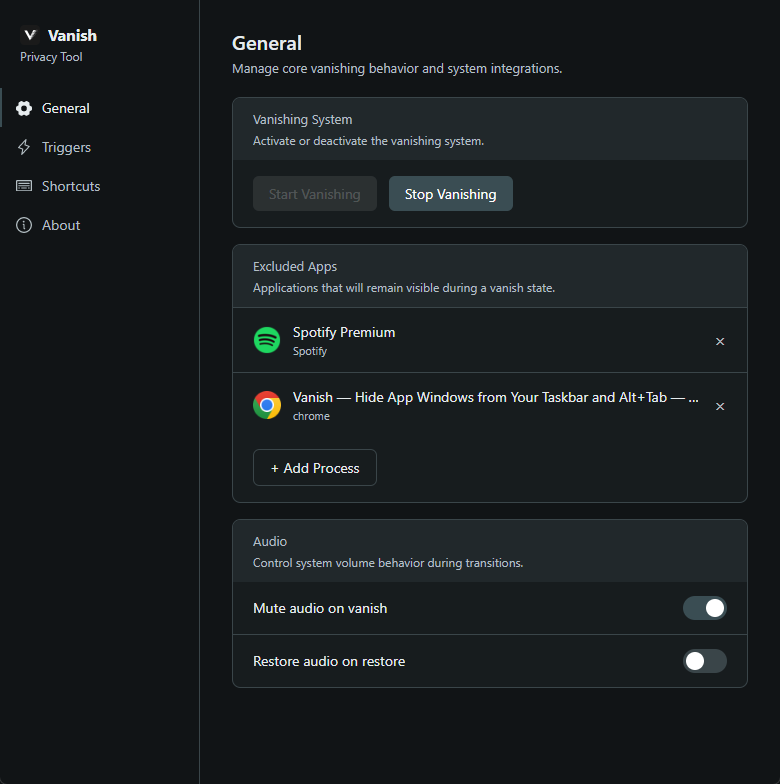
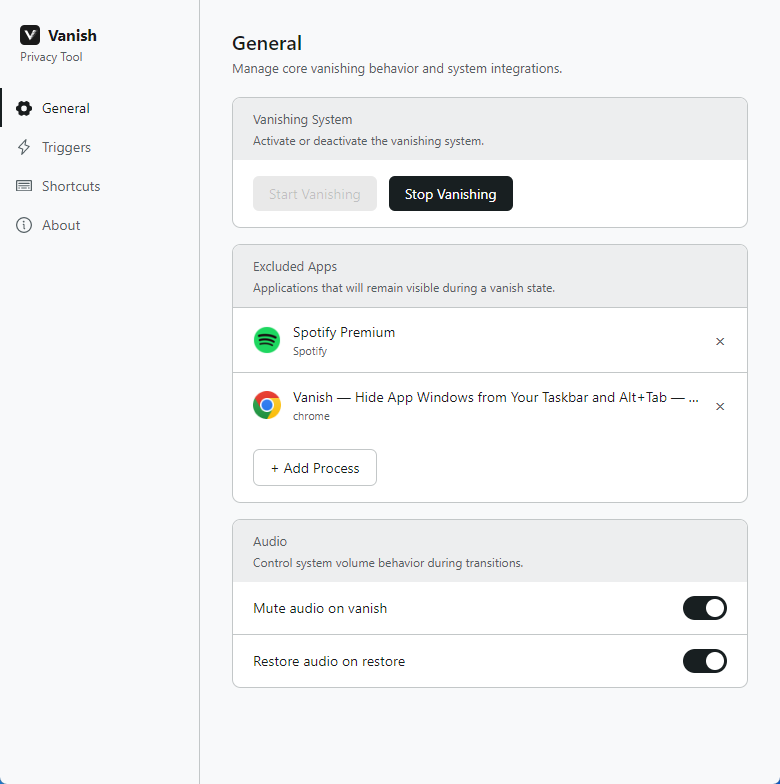
What Vanish does
Hide your work. Restore exactly.
Gone before they notice
Move your cursor to the screen edge and every app in your list vanishes from the taskbar and Alt+Tab. Not minimized — removed from the shell entirely.
No trace left behind
Hidden windows disappear from your taskbar, Alt+Tab, and Task View. A person looking at your screen sees nothing.
Restore exactly
When you bring apps back, they return to the exact position and size they were in. No repositioning required.
Configure once, trigger anytime
Build your hide list once per session. Swipe to a screen edge zone to hide and restore together — use a keyboard shortcut as a backup when you need it.
How it works
Three steps. Gone in one.
Configure your apps once. Swipe to the screen edge. Restore anytime.
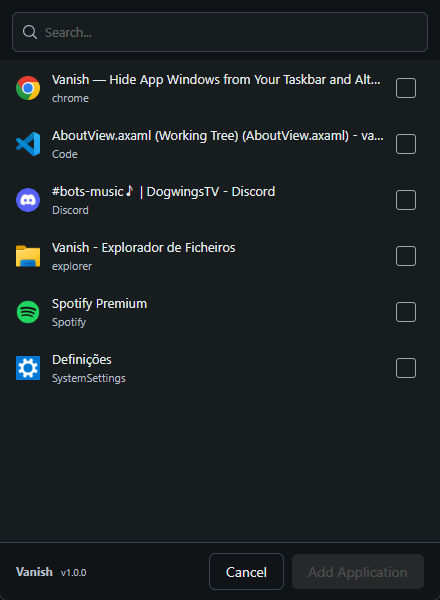
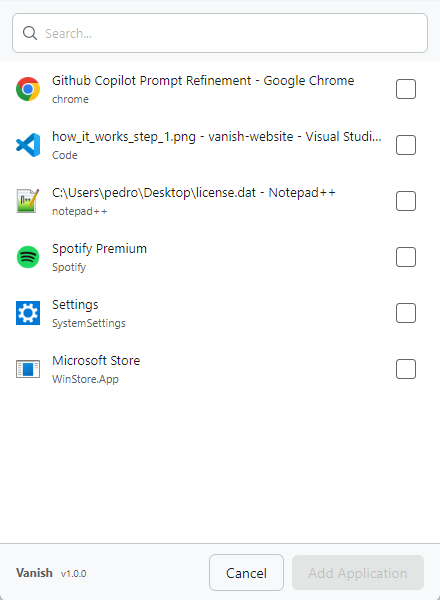
Add your apps
Open Vanish and use the process selector to add the apps you want to hide. Your browser, messaging app, document — whatever needs to disappear.
Set your trigger
Assign vanish and restore to screen edge zones on the Triggers page. You can also configure a keyboard shortcut on the Shortcuts page as a backup.
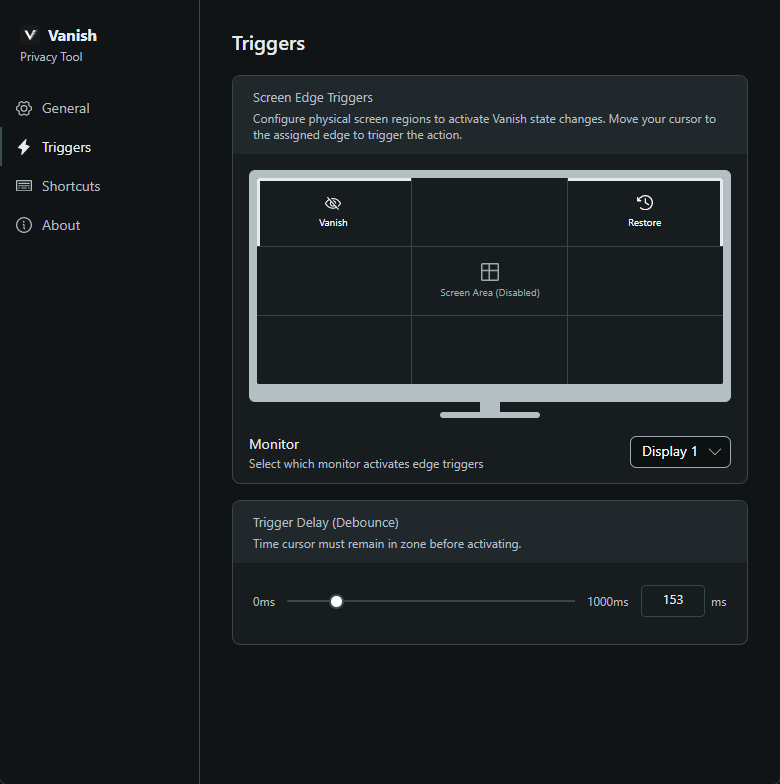
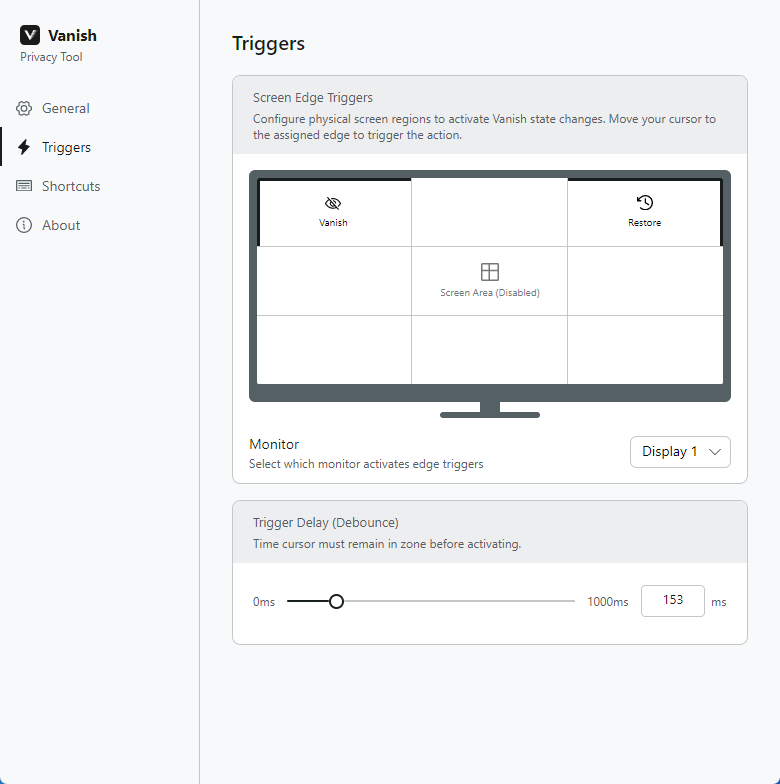
One trigger. Gone.
Move your cursor to the edge zone and every app in your list vanishes from the taskbar and Alt+Tab. Move to the restore zone to bring them back — or use your keyboard shortcut if you need it immediately.
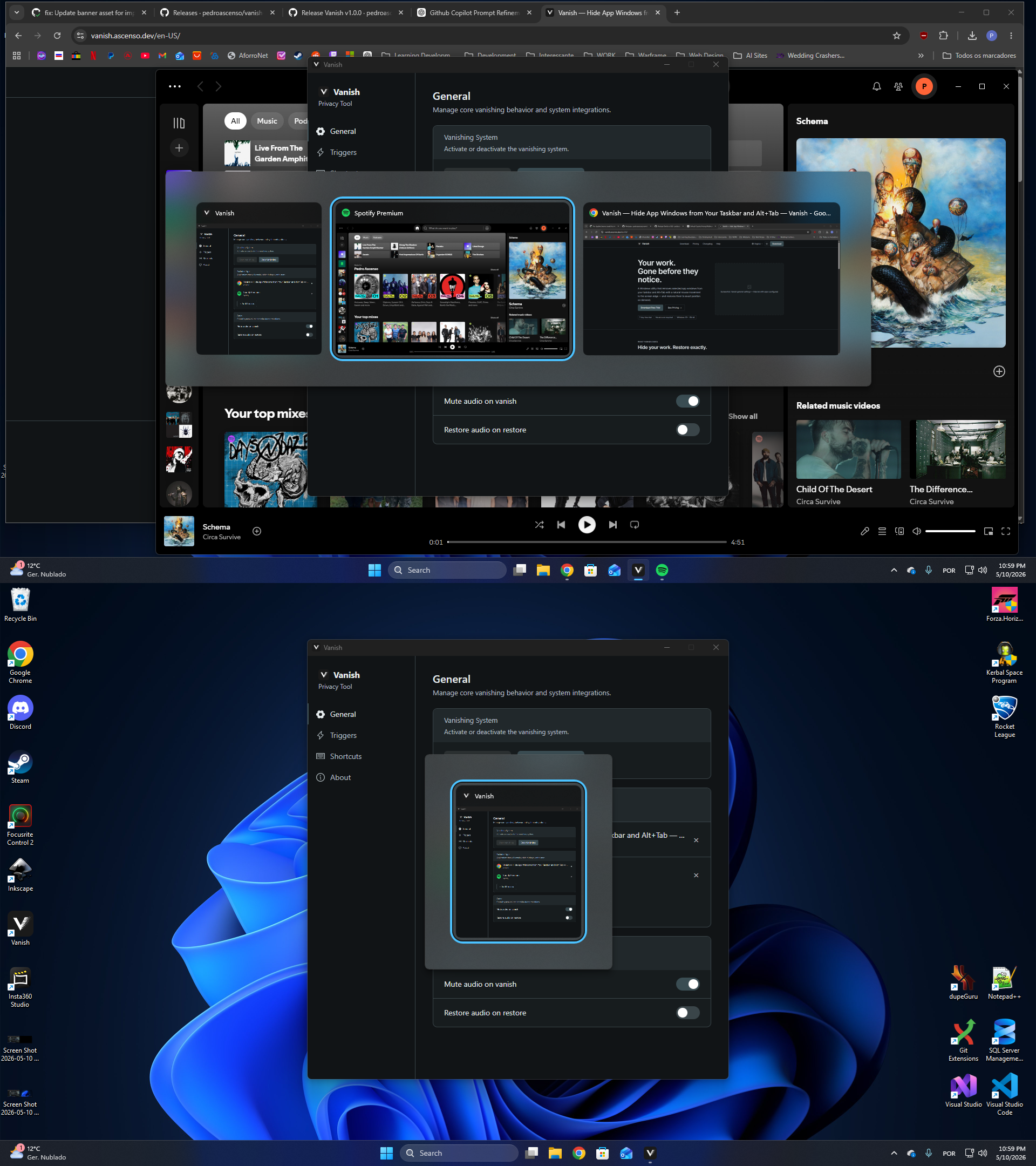
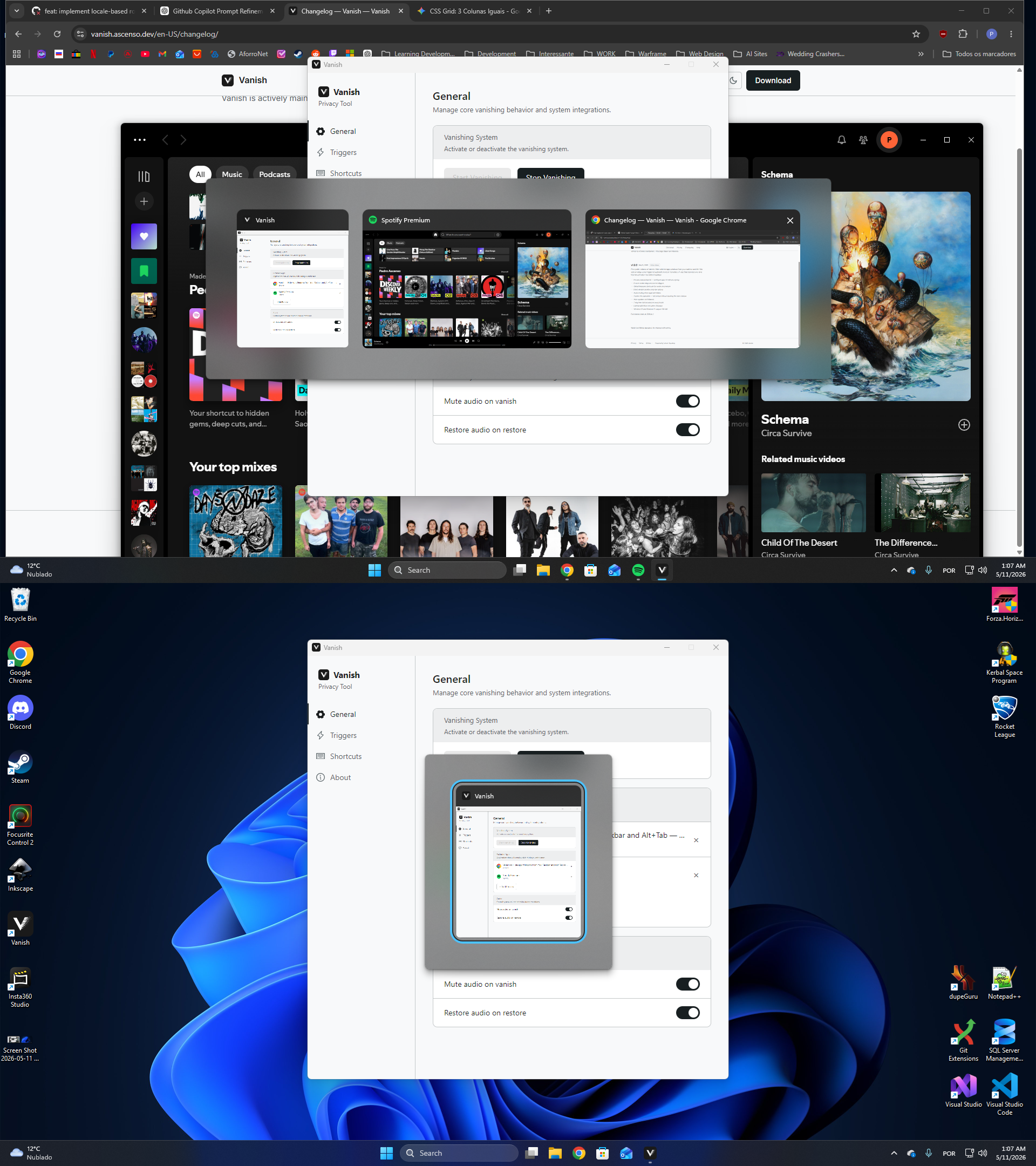
Built for people who need their work gone — fast.
Pricing
Start free. Own it when you're ready.
$9.99
One-time payment — no subscription- 7-day free trial included
- Full access to all features
- All updates in the current major version
- Works offline after initial activation
- No account required during trial
No account. No credit card. Download and start immediately.
See full pricing →Try Vanish free for 7 days.
Windows 10+ · 64-bit · 7-day free trial · No account required